DAPL_Color
Designing (and Coding) a Suite of Color Grading Plugins
A New Challenge
About
I love to continually keep up my technology skills and teach myself new things. Filmmaking has always been an interest of mine and I have recently taught myself many cinematography skills like cinema camera operation and lens design. Recently, I have been teaching myself everything there is to know about color grading with the industry standard software Davinci Resolve.
During this self-education, I learned there is a whole community of color scientists that have open sourced much of their work. Most of these are on Github in the form of DCTLs (Davinci Color Transformation Language). DTCLs are programs written in C language and work as plugins to allow users to make complex image transformations, some of which are unavailable with Resolve's standard toolset. Many of these DCTLs have been used in major Hollywood movies.
The Idea
I have benefited from open source software for my entire life. We all have. I decided it would be a fun idea to use my creativity and talents to create an open source project to contribute to the color grading community. It would be a good opportunity to teach myself something new and contribute something to help people.
Most of my interest in color grading is being able to replicate the modern motion picture film image rendering process in a digital environment. In simple terms, I want modern digital cameras to be able to look like film. In even simpler terms, these are fancy Instagram-like filters but used on big budget movies like Star Wars.
What is It?
The Problem to Solve
Design always works best when you're attempting to solve a problem. When building a look for color grading, you're making macro-level changes that apply to every shot to give the movie its distinct look. A look typically consists of the following elements:
1D Transformations
Luminance contrast across the Red, Green, and Blue channels. This allows for a "split tone" contrast (warm highlights and cool shadows).
3D Hue Transformations
Hue adjustments that don't affect the neutral axis. This allows for green foliage to appear yellow (like the movie Oh Brother Where Art Thou). It can also be used to compress blue and cyan around teal (a popular action blockbuster look).
Texture
This includes spacial elements like film grain, halation, and lens characteristics like barrel distortion and edge blur. While these used to be undesirable characteristics of analogue equipment, these are now added simulated to make the image feel less "digital".
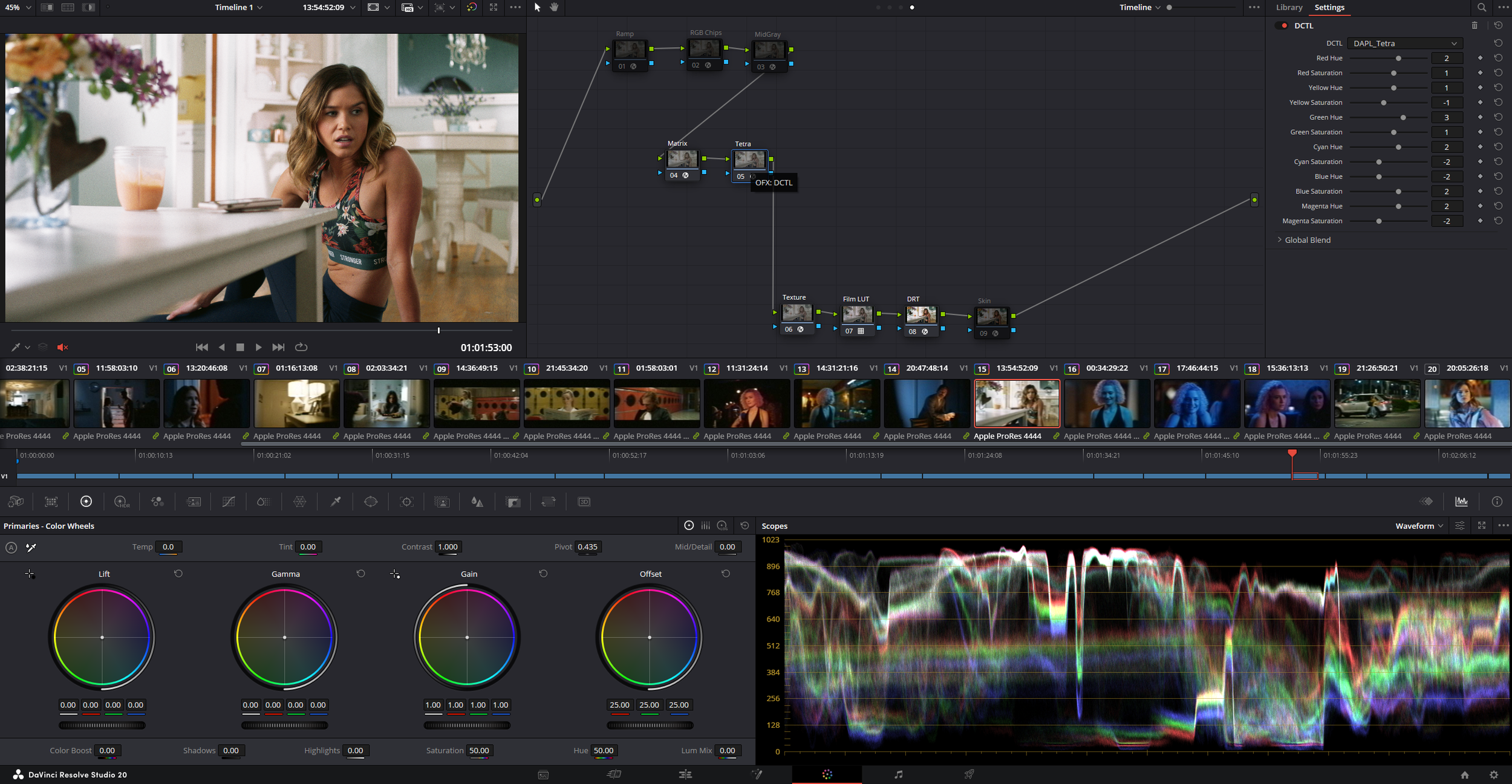
Davinci Resolve's native tools and plugins can handle most of these, thanks to its newest versions. But, the 3D hue transformations still leave a lot to be desired. They are slow on the GPU, and tend to cause banding or image breaking. Most commercial DCTLs for sale focus on complex 3D hue rotations, as this is one of Resolve's shortcomings. There are open source options like Tetra, but they are confusing in how to use them (It's just RGB sliders for the 6 vectors). Most people keep their uses of them secret to an extent.
Saturation
Saturation of colors across the hues and luminance values. This could make the vibrant colors of a Wes Anderson film, or the desaturated look of Saving Private Ryan.
DAPL_Color
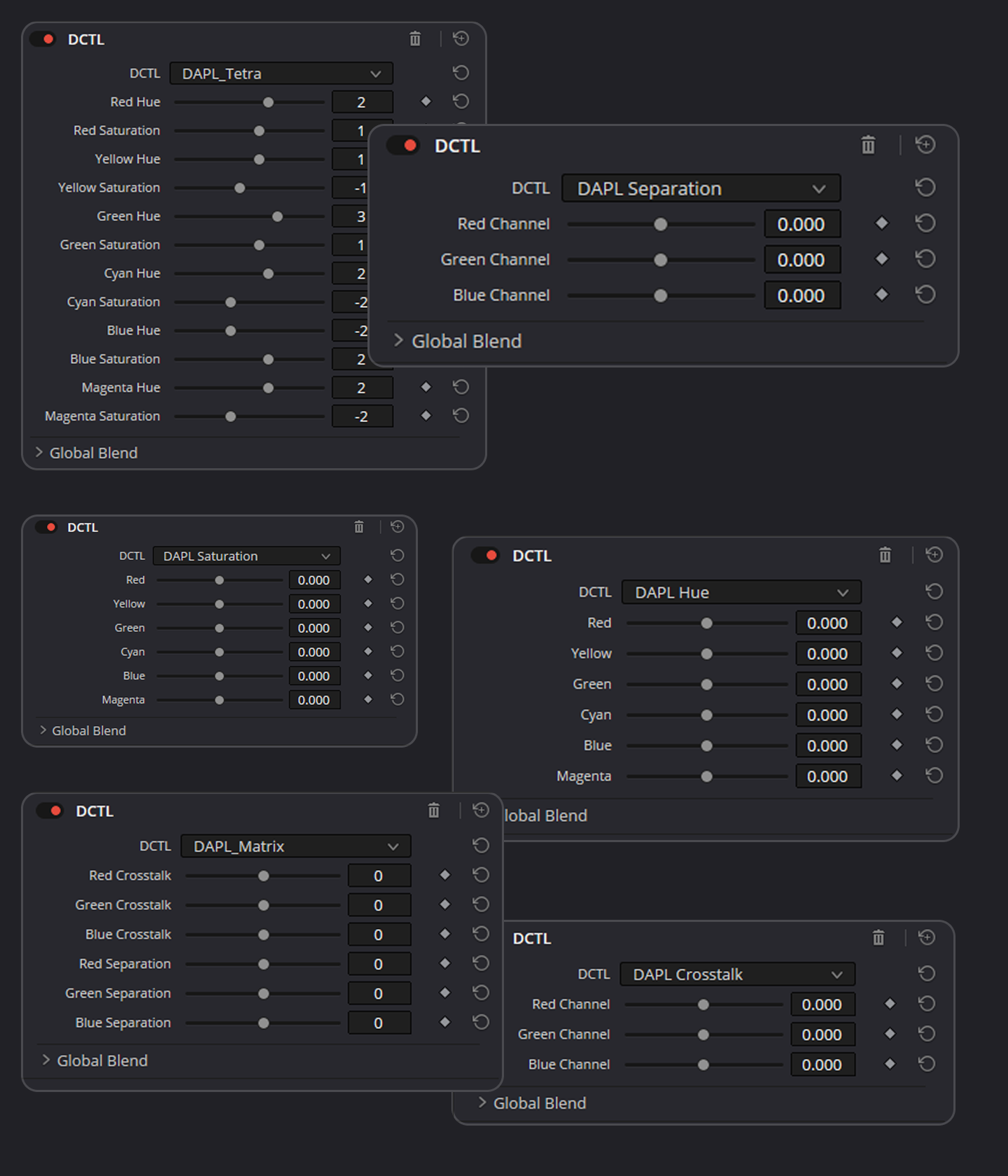
DAPL_Color is a suite of 8 DCTL color tools for color grading and look development. The tools prioritize the gentlest operations possible with a "net zero" philosophy. The tools can be used piecemeal for subtle changes, or combined for strong macro-level looks.
Net Zero Philosophy
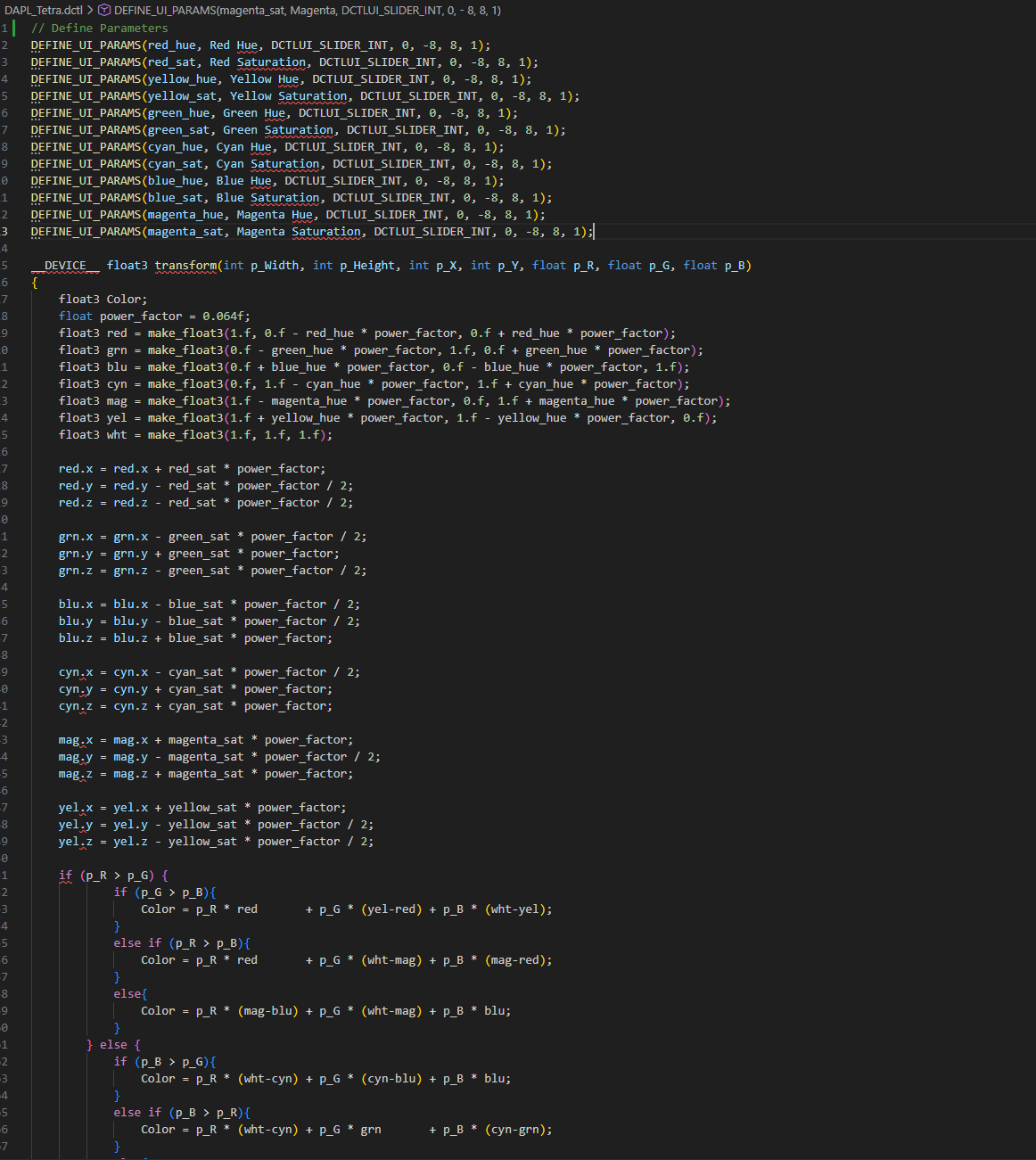
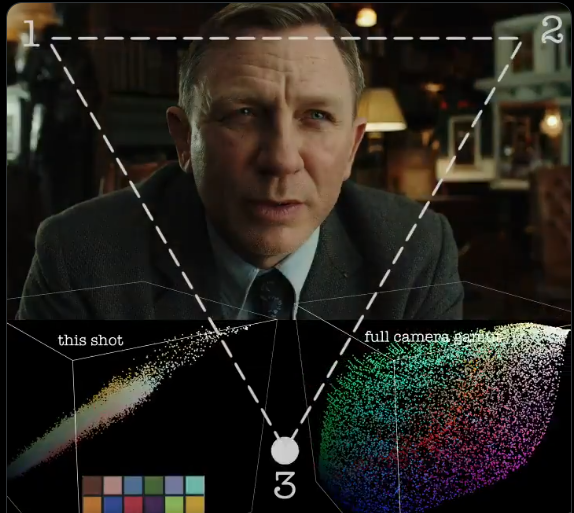
The tools use simple operations across 2 color models: 3x3 Matrix, and Tetrahedral.
Separation/Saturation
Adds to the color's main channel and subtracts an equal amount from the secondaries.
Example #1
3x3 Matrix: DAPL_Separation or DAPL_Matrix
+8 to Red's R Channel
-4 to Red's G Chanel
-4 to Red's B Channel
Example #2
Tetrahedral: DAPL_Saturation or DAPL_Tetra
+6 to Magenta's Red Channel
-12 to Magenta's Green Channel
+6 to Magenta's Blue Channel
Crosstalk/Hue
Adds and subtracts equal amounts between secondaries without touching the main channel.
Example #1
3x3 Matrix: DAPL_Separation or DAPL_Matrix
+0 to Red's R Channel
+4 to Red's G Chanel
-4 to Red's B Channel
Example #2
Tetrahedral: DAPL_Saturation or DAPL_Tetra
+8 to Magenta's Red Channel
+0 to Magenta's Green Channel
-8 to Magenta's Blue Channel
Usage
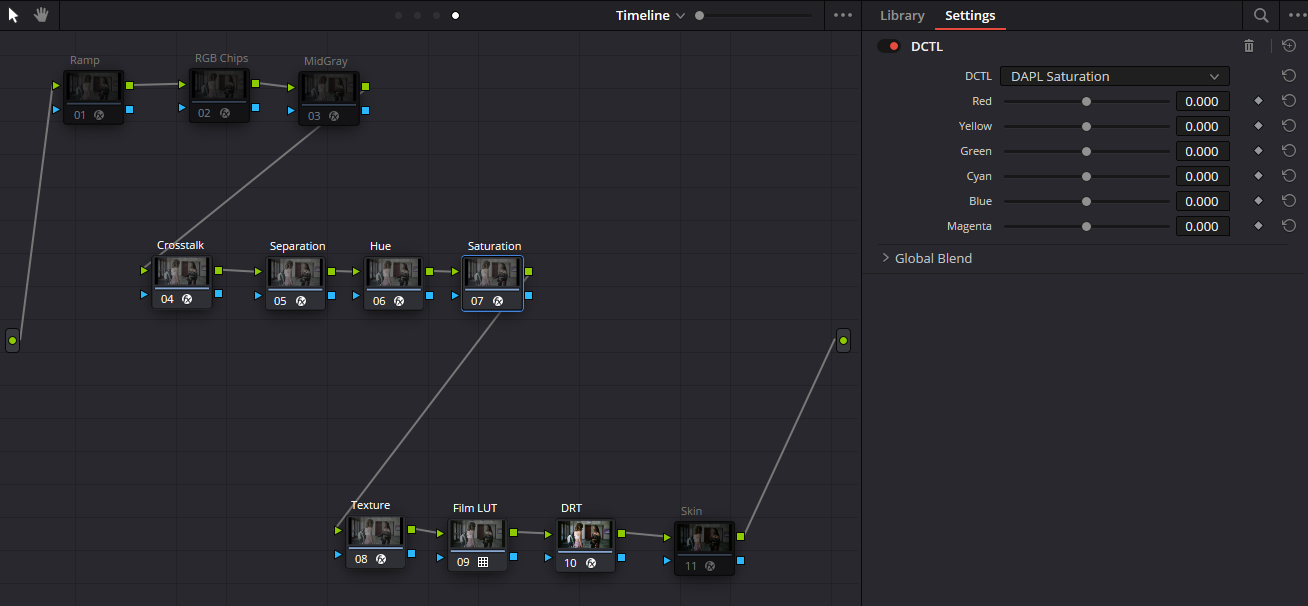
Any of the tools can be used separately or in conjunction with each other. It's generally easier to place the matrix nodes before the tetra nodes. Event though they're meant for log footage, they are gentle 3D transformations that could even be applied to Rec709 8 bit footage.
One of the inspirations for this project is Baselight's Chromogen, which is a simple set of operations serially stacked across a custom color model. This is much more simple and doesn't claim to match any chromogen results, but it is free.
The DAPL_Crosstalk, DAPL_Separation, DAPL_Hue, and DAPL_Saturation tools are meant to be used in this way.
Recipes
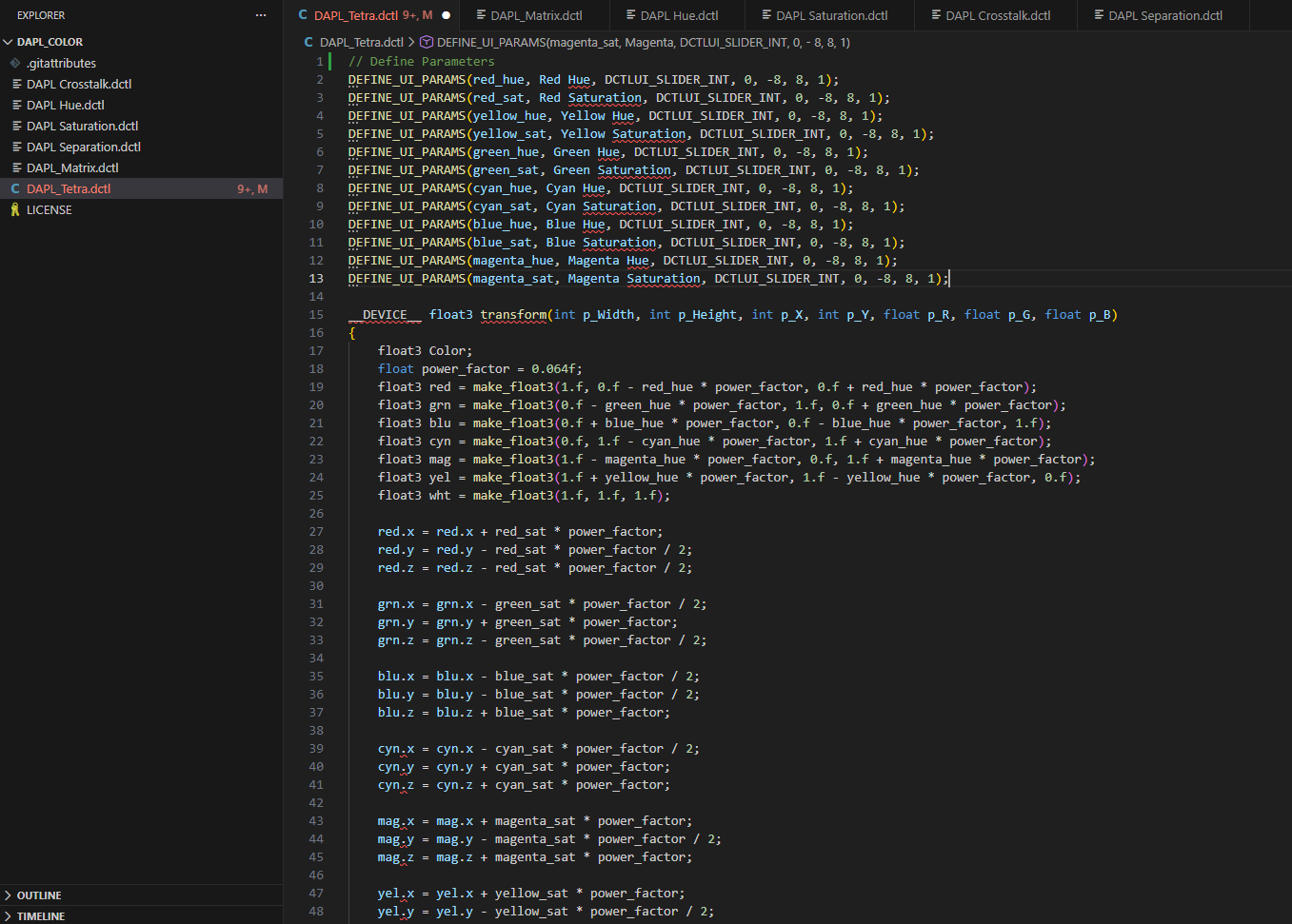
Another inspiration is the "recipe" culture that Fujifilm has with their mirrorless cameras. The DAPL_Matrix and DAPL_Tetra tools are integer sliders in order to facilitate the creation and sharing of recipes.
Conclusion
Findings & Learnings
These successfully provide smooth and powerful transformations to the image without damaging. But it's limited to 3D hue transformations and saturation changes. Those are only 2 of the 4 look elements. I'm interested in creating DCTLs for the remaining 2 components. That involves me learning calculus, which will take a little while, but isn't out of the question.